Create smarter. Design sharper. Meet Design Tool 2.0.
August 27, 2025 · Updated
Your creative process just got an upgrade. Design Tool 2.0 gives you everything you need to bring your ideas to life faster, with more control than ever before.
Here's what's new:
- Sharper visuals: high-definition garment images so you can see texture, stitch, and color nuance.
- Smarter workspace: cleaner layout, bigger canvas, and tools exactly where you need them.
- More creative control: crop, preview, and fine-tune your designs with brand new features.
Why you'll love it:
- Visualize every detail in high-definition as you create.
- Work faster with a streamlined creative workspace.
- Design with confidence using our most advanced tools yet.
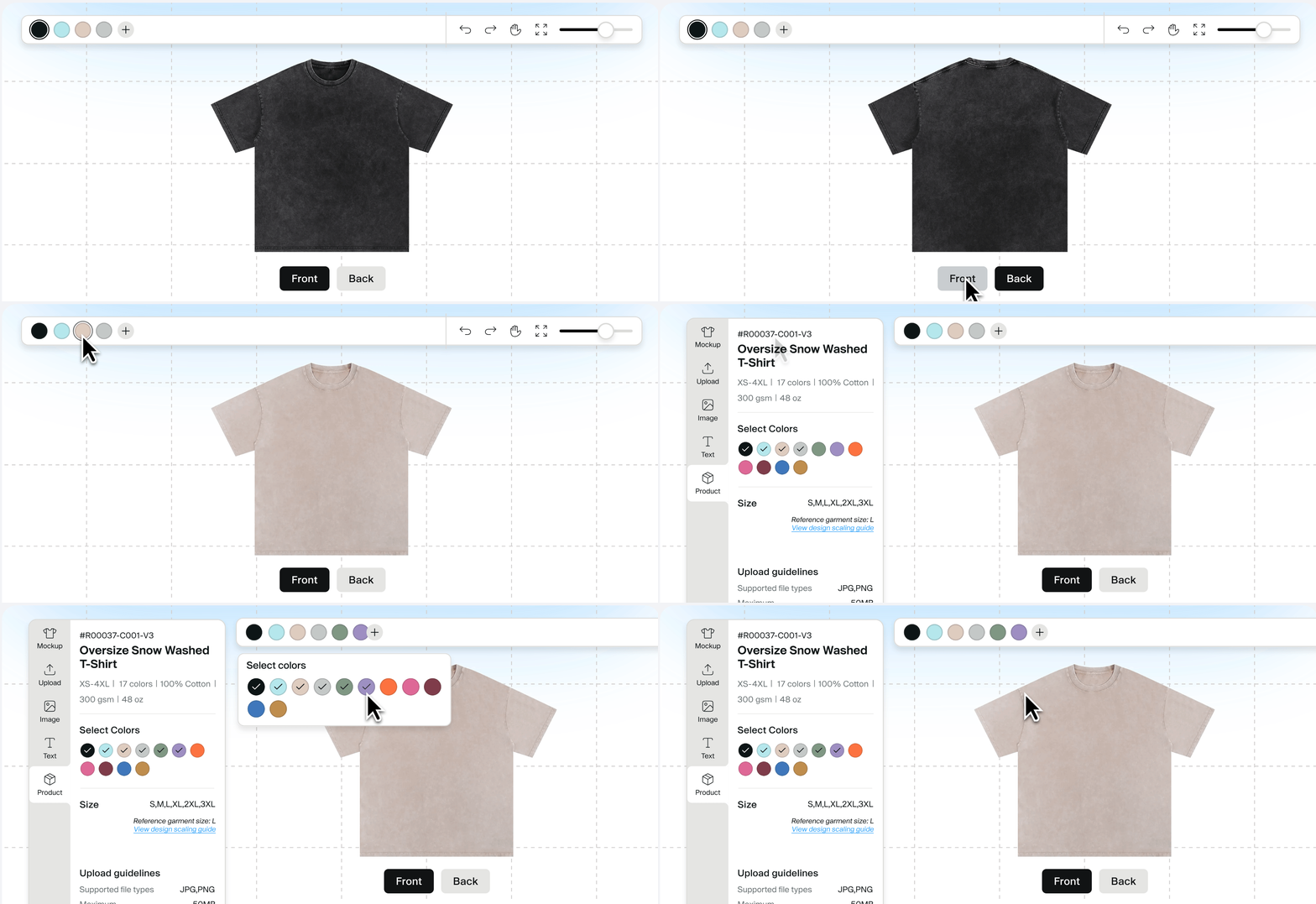
Sharper visuals: see your designs in high-definition
Every detail counts when you're building a brand.
With new high-definition garment images, you can better see texture, stitch, and color nuance as you design.
This makes it easier to choose the right product, fine-tune your artwork placement, and know exactly how it'll look in real life.
Plus: select products now even feature hanging-shot imagery, helping you visualise your design as it will appear when worn.
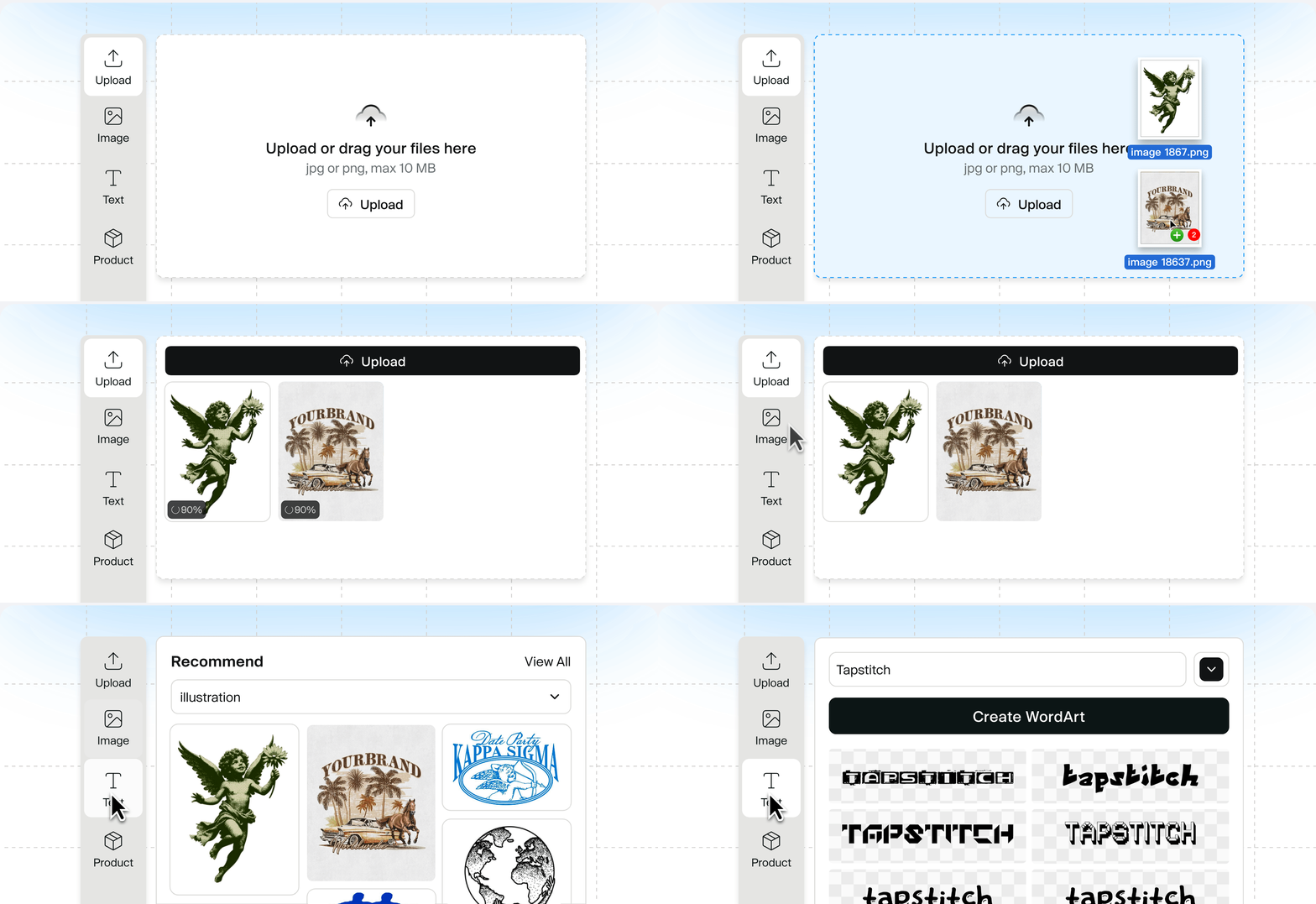
Smarter workspace: design without distractions
We've refreshed the layout to give your creativity more room to breathe.
You'll now work with a larger canvas that puts your design front and center, with tools and controls grouped and positioned exactly where you need them.
This streamlined setup makes it faster and easier to bring your ideas to life, so you can focus on creating, not navigating.

More creative control: fine-tune every detail
Design Tool 2.0 gives you more ways to get your designs just right, with brand-new features that make the process smoother and more precise.
- Crop tool: Refine your artwork by trimming edges or removing unnecessary parts, right inside the tool.
- Image viewer: Spot imperfections instantly with a red mask overlay that highlights stray pixels in your design.
- Grid tool: Estimate physical size and spacing with an on-canvas grid. Perfect for checking placement and proportions at a glance.
These upgrades give you more flexibility, more accuracy, and more confidence in your final product.
Ready to design smarter?
Design Tool 2.0 is live now for all users.
Jump in, explore the sharper visuals, smarter workspace, and new creative tools. We can't wait to see what you create.
Jump in, explore the sharper visuals, smarter workspace, and new creative tools.
Choose a product from the catalog to start designing. We can't wait to see what you create.
Explore catalog
Was this article helpful?
50 found this helpful